Easy Forms
Powerful, no-code form creation for Magnolia DXP. Empower your team to build, manage, and track sophisticated forms, from simple contact forms to complex multi-step workflows.
Visual form builder
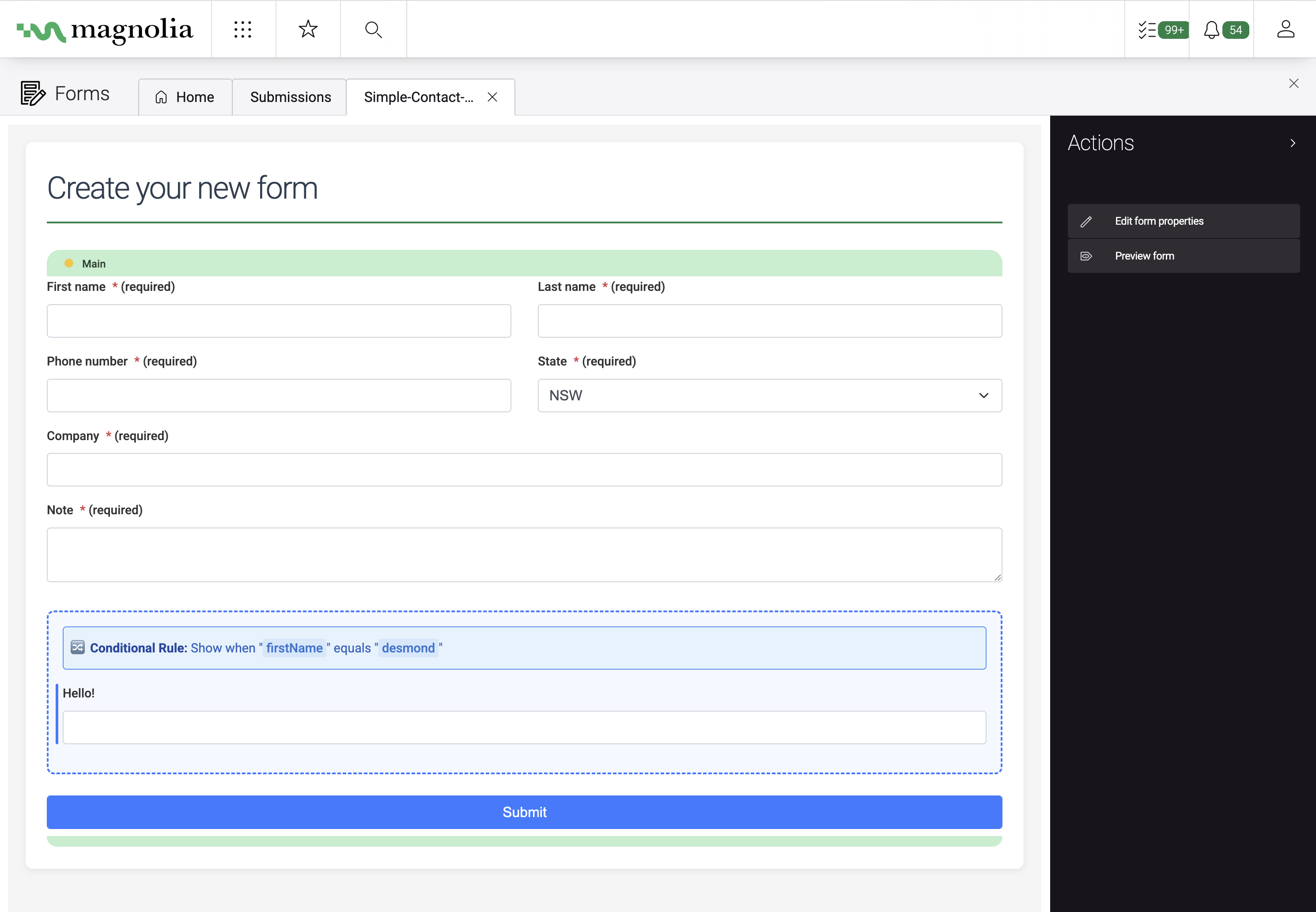
Create forms exactly where your team works: the Magnolia Pages app. Drag and drop fields, configure validation, and preview your forms in real time. No learning curve, no handoffs.
- Drag-and-drop interface familiar to Magnolia users
- Real-time preview as you build
- Full control over layout and styling
- No coding required for any form type
Everything you need to capture leads
Native Magnolia interface
Create forms visually with our intuitive editor, no need to write a line of code.
Spam protection
Invisible reCAPTCHA v3 integration stops bots without frustrating your users.
Smart email routing
Send form data to fixed addresses or dynamically route based on user selections, perfect for department-specific contact forms.
Mailchimp integration
Automatically subscribe users to your Mailchimp lists, with merge tag support and group mapping.
Conditional logic
Show or hide form fields based on user input. Build progressive, multi-step forms with ease.
Submission management
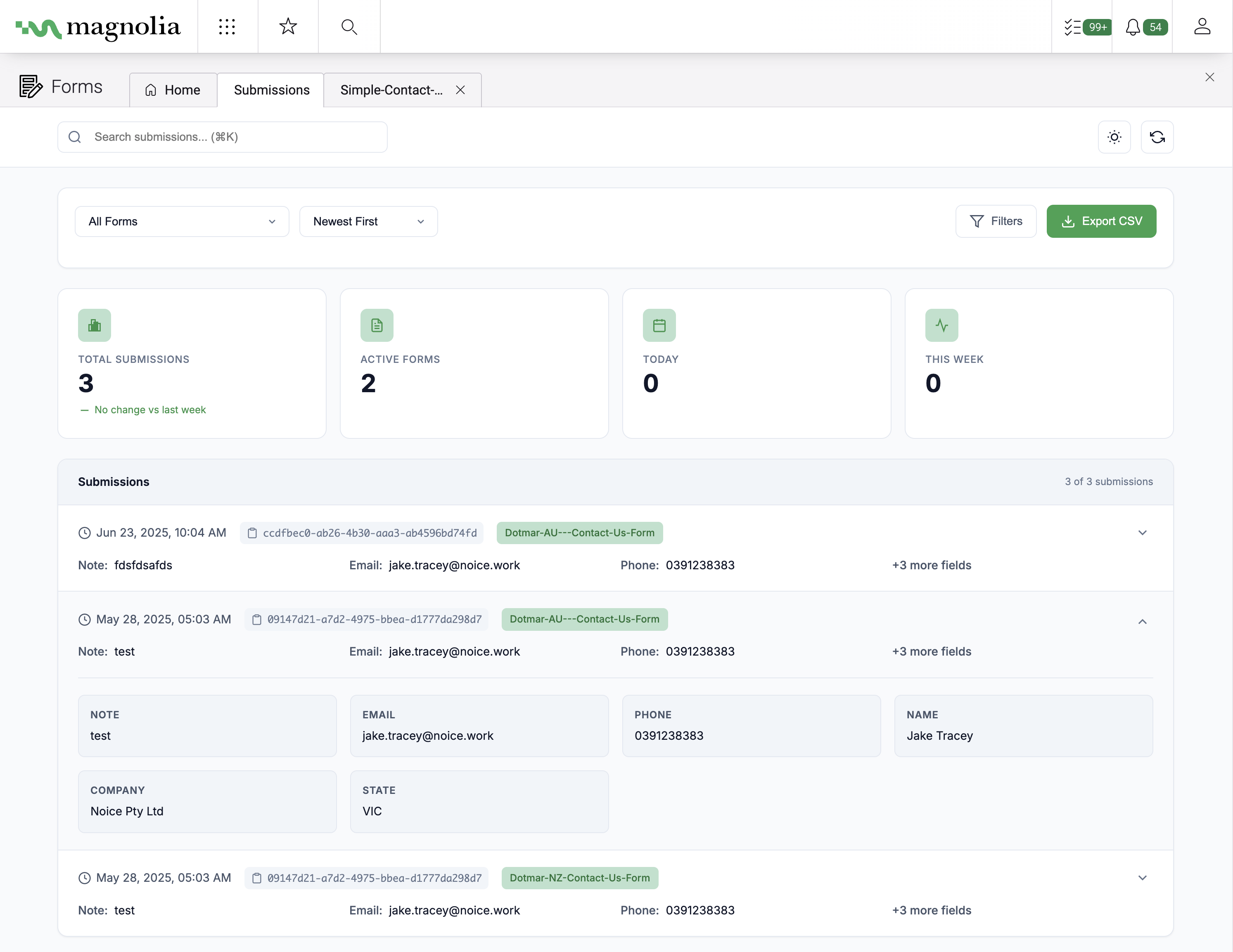
Search, filter, and export form data. Monitor performance over time, all within the Magnolia Forms app.
Built for teams that ship
Speed to market
Launch forms in minutes instead of days. No developer queues, no deployment cycles, just build and publish.
Empower your team
Give marketers and content editors full control over form creation, freeing developers for higher-value work.
Enterprise ready
WCAG 2.1 AA accessibility, PostgreSQL and MySQL support, and comprehensive REST APIs for custom integrations.
API-first by design
Fetch forms, post submissions, and trigger backend processes using Magnolia's native REST API. Build headless experiences or integrate with your existing systems.
- Full REST API for forms and submissions
- Webhook support for external integrations
- JavaScript event system for custom functionality
- Works with Salesforce, HubSpot, Zapier, and more
- POST/submit
- POST/upload
- GET/submissions
- GET/submissions/export/csv
- GET/formlist
Base / /.rest/easyforms
Frequently asked questions
Easy Forms is a Magnolia DXP module that enables content authors to build, manage, and track sophisticated forms using a visual drag-and-drop interface, no coding required.
Easy Forms is designed for marketers, content editors, and digital teams who need to create forms without relying on developers. Developers also benefit from its API-first architecture for custom integrations.
Easy Forms is built natively for Magnolia, meaning it integrates seamlessly with the Pages app and your existing workflows. It combines visual editing simplicity with powerful features like conditional logic, smart routing, and Mailchimp integration.
Yes. You can show or hide fields based on user input, create multi-step forms, and apply validation rules, all configured visually without code.
Easy Forms works out of the box with Magnolia DXP. Optional integrations like reCAPTCHA and Mailchimp require API keys, but setup is straightforward through the admin interface.
Easy Forms supports text inputs, email, phone, dropdowns, checkboxes, radio buttons, file uploads, date pickers, rich text areas, and hidden fields. Custom field types can be added by developers.
Absolutely. Forms inherit your site styles by default, and you can apply custom CSS classes or use the built-in styling options for spacing, colors, and layout.
Submissions are stored securely in Magnolia and can be viewed, searched, filtered, and exported from the Forms app. Email notifications can be sent to fixed addresses or routed dynamically based on form field values.
Contact us for pricing. We offer flexible licensing based on your Magnolia environment and requirements.
Yes. All licenses include documentation, email support, and access to updates. Enterprise support options with SLAs are also available.